

ARock
Case Study
2022
Overview
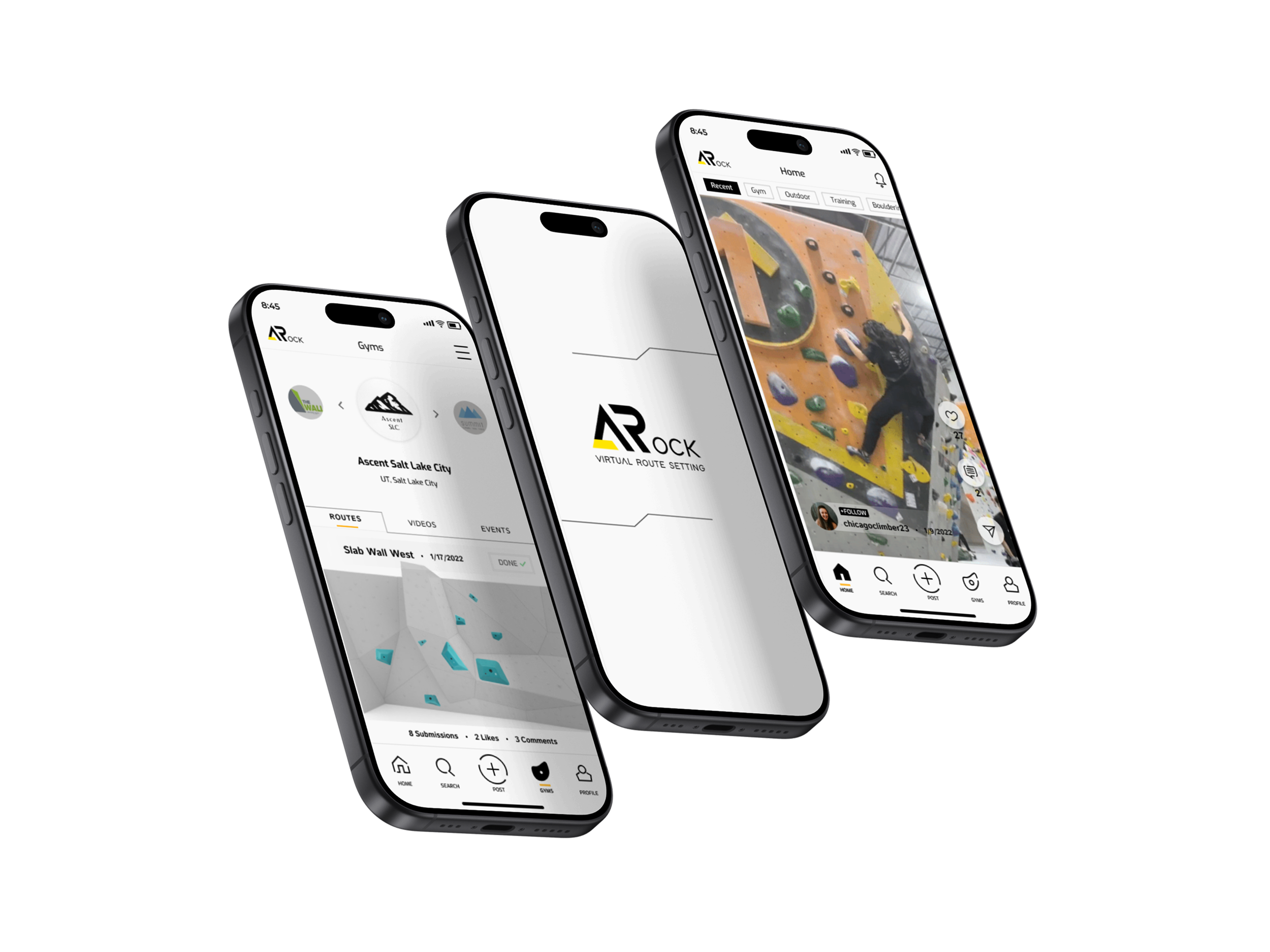
ARock is a new social media and virtual route setting app commissioned by a climbing gym. Climbing’s increased popularity has brought attention to the route setting that happens behind the scenes at all climbing gyms and competitions. Climbers are offered the opportunity to stir their creativity and give route setting a try. Become virtual route setters via the ARock app and submissions will be carefully reviewed by the team of professional in-house route setters.
It is common for climbers to be curious about route setting at their local gym. Route setting is a delicate profession that involves inherently dangerous tasks such as heavy lifting, working with industrial tools at high heights and potential for harm if not carefully executed. Inviting all climbers (members and non-members) to submit their routes via app makes it extremely accessible for anyone who is interested in route setting from the safety of their mobile phones.
❋ Role
Product Designer
❋ Duration
100+ hours
❋ Tools
Figma, Maze
❋ Project
End-to-end mobile app
❋ Deliverables
Prototypes
Mockups
Style guide
Market research
User personas
User task flow
App mapping
Wireframes
Challenges
Design a mobile app catered to helping build communication between gym owners, route setters and the climbing community.
Developing an AR route setting feature that allows anyone in the climbing community to challenge their creativity by creating routes with this app that will be reviewed and potentially selected to be physically set in the gym for everyone to climb.
Research
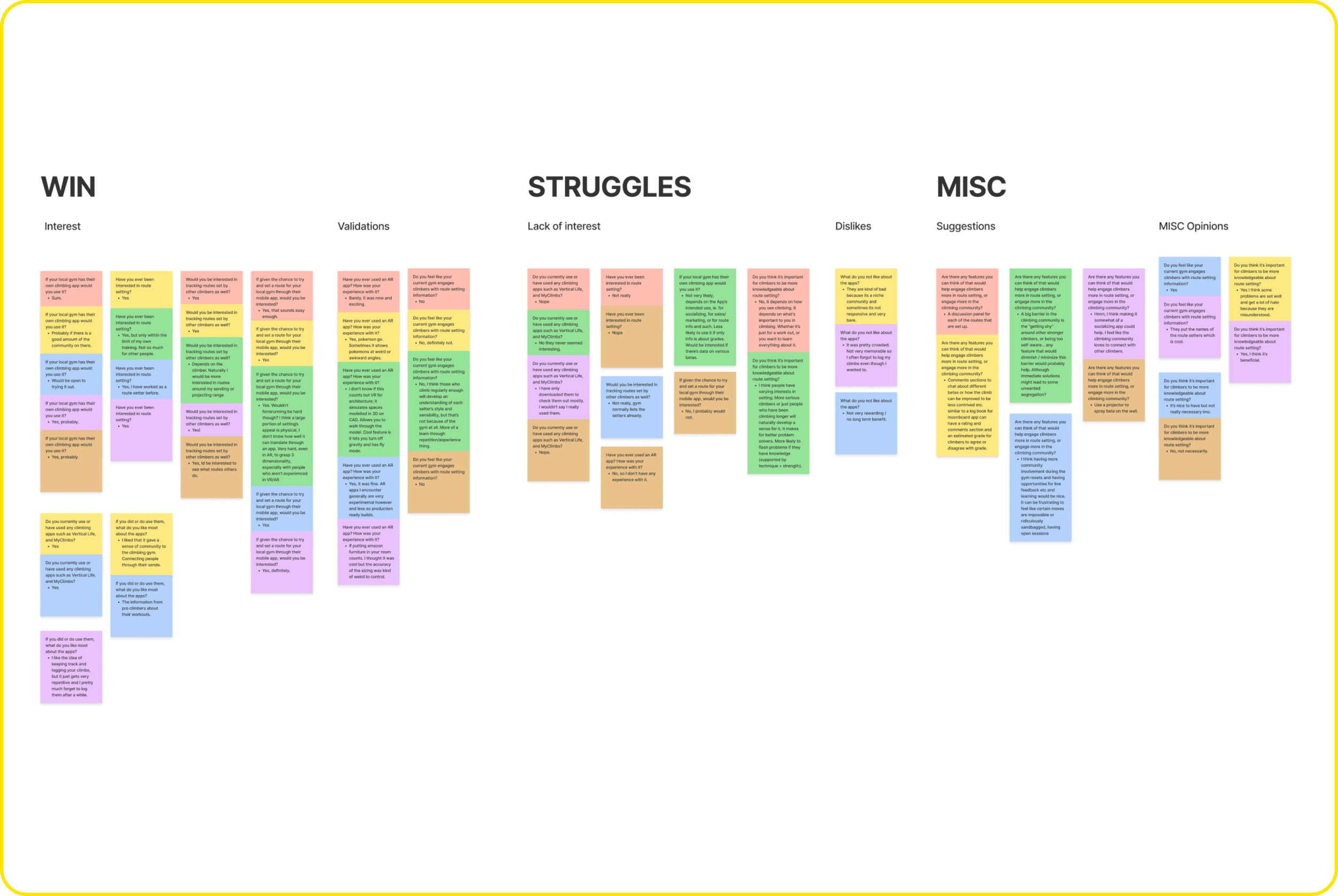
User Interviews — The first round of research consisted of gathering thoughts and opinions from climbers about route setting, their experience with exisiting climbing apps, and their experience with using AR apps.
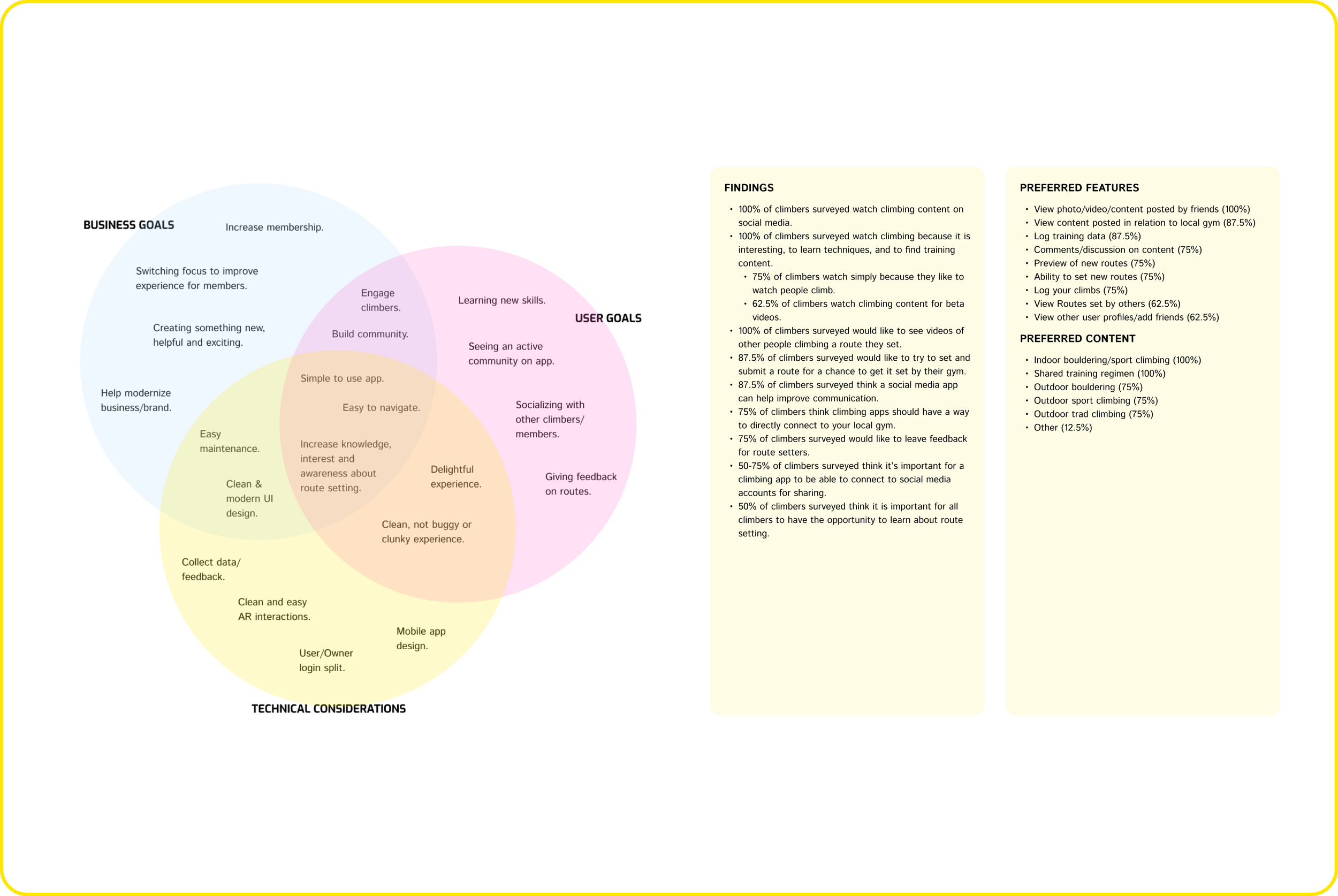
After interviewing several climbers of different backgrounds and levels, I discovered there was a genuine interest in the virtual route setting if climbers route entries had a chance of getting set in the gym. Opinions on the idea of using climbing apps and AR apps in general were quite varied and not as enthusiastic, but I have a compiled list of likes and dislikes from the climbers that can point the design of this app in a clearer direction.Follow Up Survey — After some mixed feedback and generally broader answers from the user interviews, a follow-up survey was conducted to help clarify some more specific points that needed to be addressed. I wanted to pinpoint and narrow down specific features climbers may want to see in a climbing social media app.
These findings helped narrow down features that climbers are looking for in a climbing social media app. The data suggests that users prefer to see a variety of climbing content and helped validate the point that many climbers show interest in the ability to virtually set a route for their local gym if they have a chance to get it set by the route setters. It also validates interest the climbing community has in finding climbing content via social media apps and the idea that a social media app for the local gym can help improve communication between gym owners, route setters, and climbers.
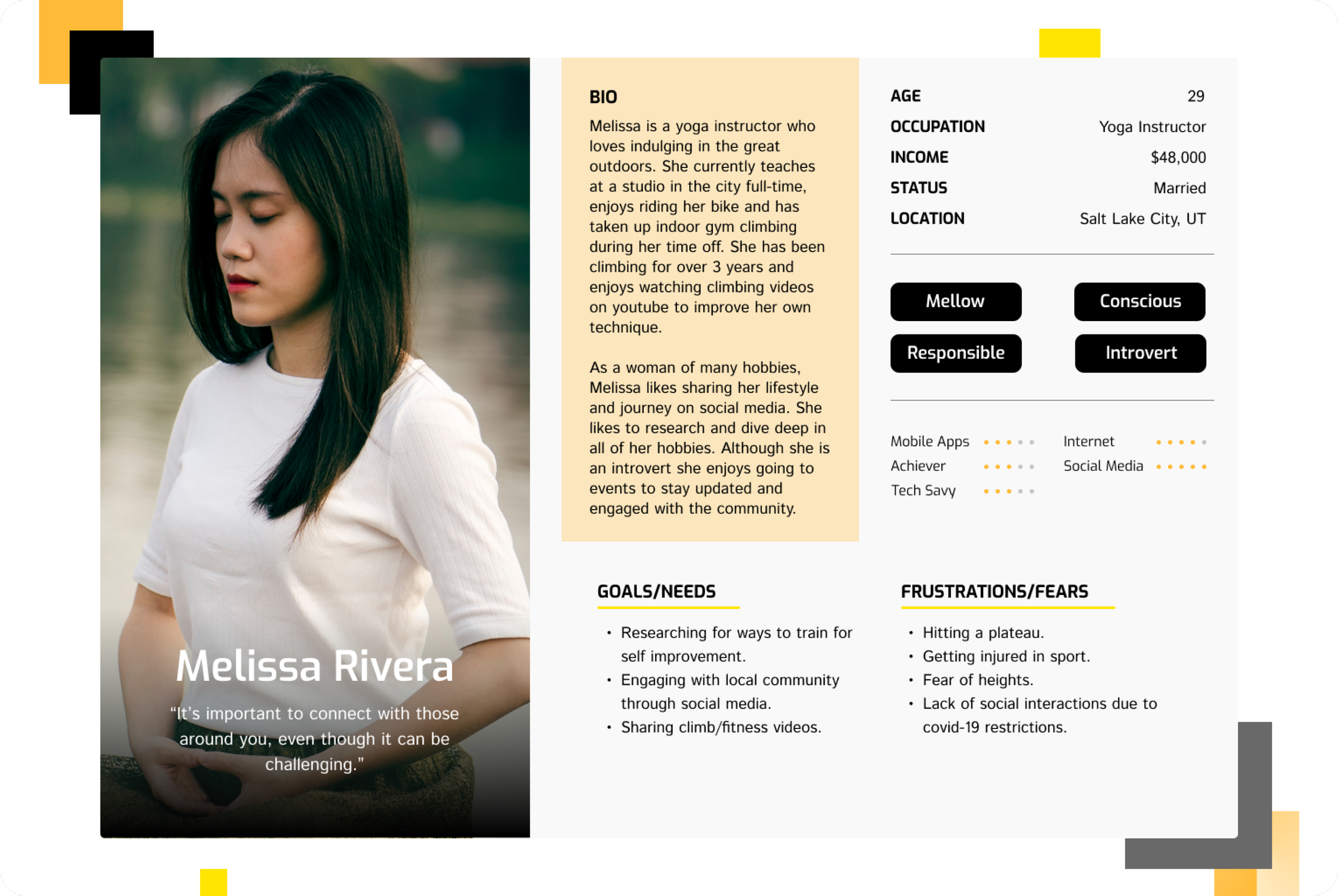
User Persona — Everyday Climber
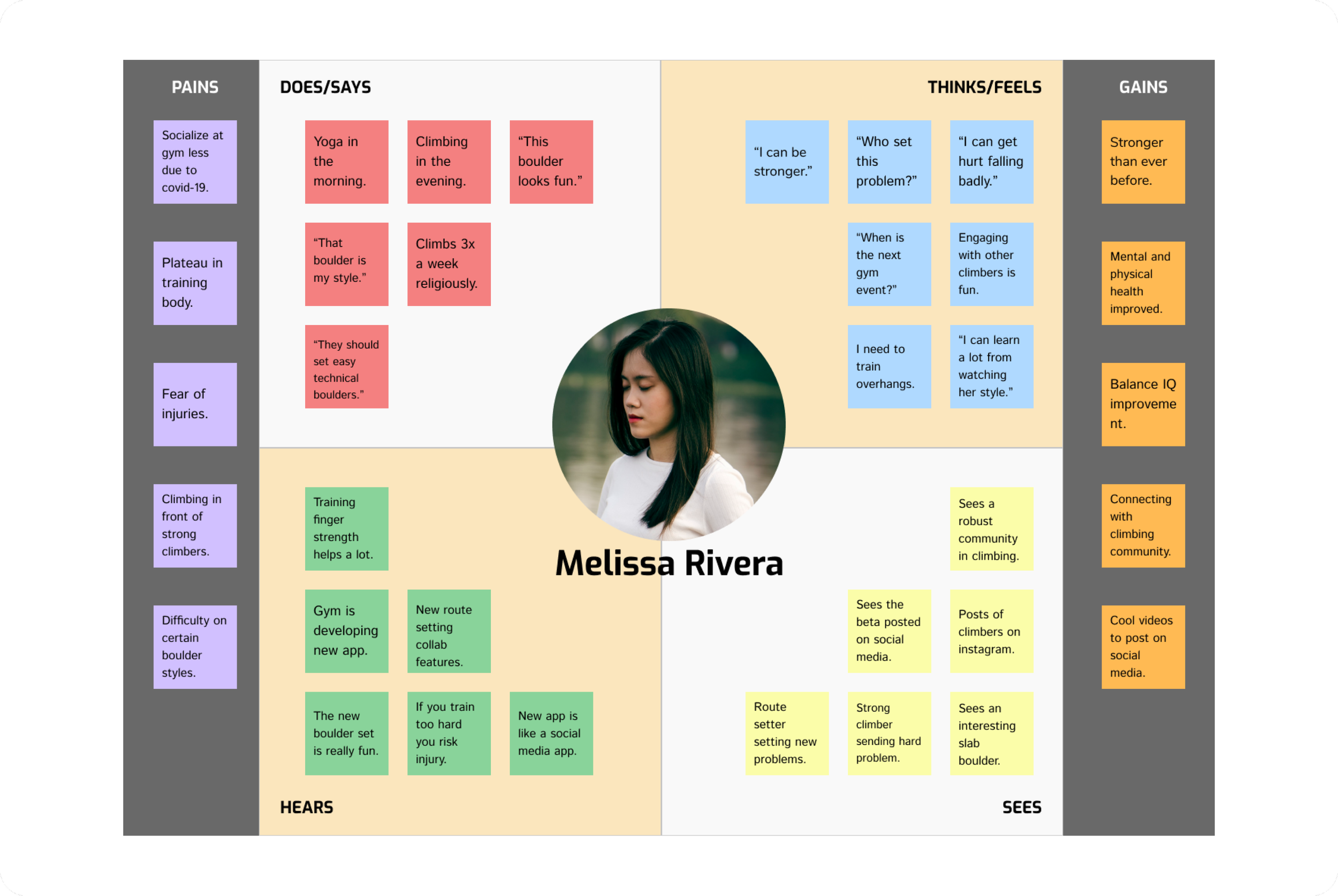
Melissa is our primary user persona; the everyday climber who frequents the gym and will likely be downloading ARock app to help her keep in touch with fellow climbers and gym updates. I keep her thoughts and frustrations in mind when approaching how to design the social media and route setting functions.
Empathy Map — Everyday Climber
For this MVP, our main focus will be the experience surrounding our everyday climber Melissa. As a climber who frequently browses social media apps, understanding what Melissa thinks and how she navigates the gym and social media apps gave me ideas on how to approach designing functions to share media content and also increase interactivity between climbers and their gym.
Site Map
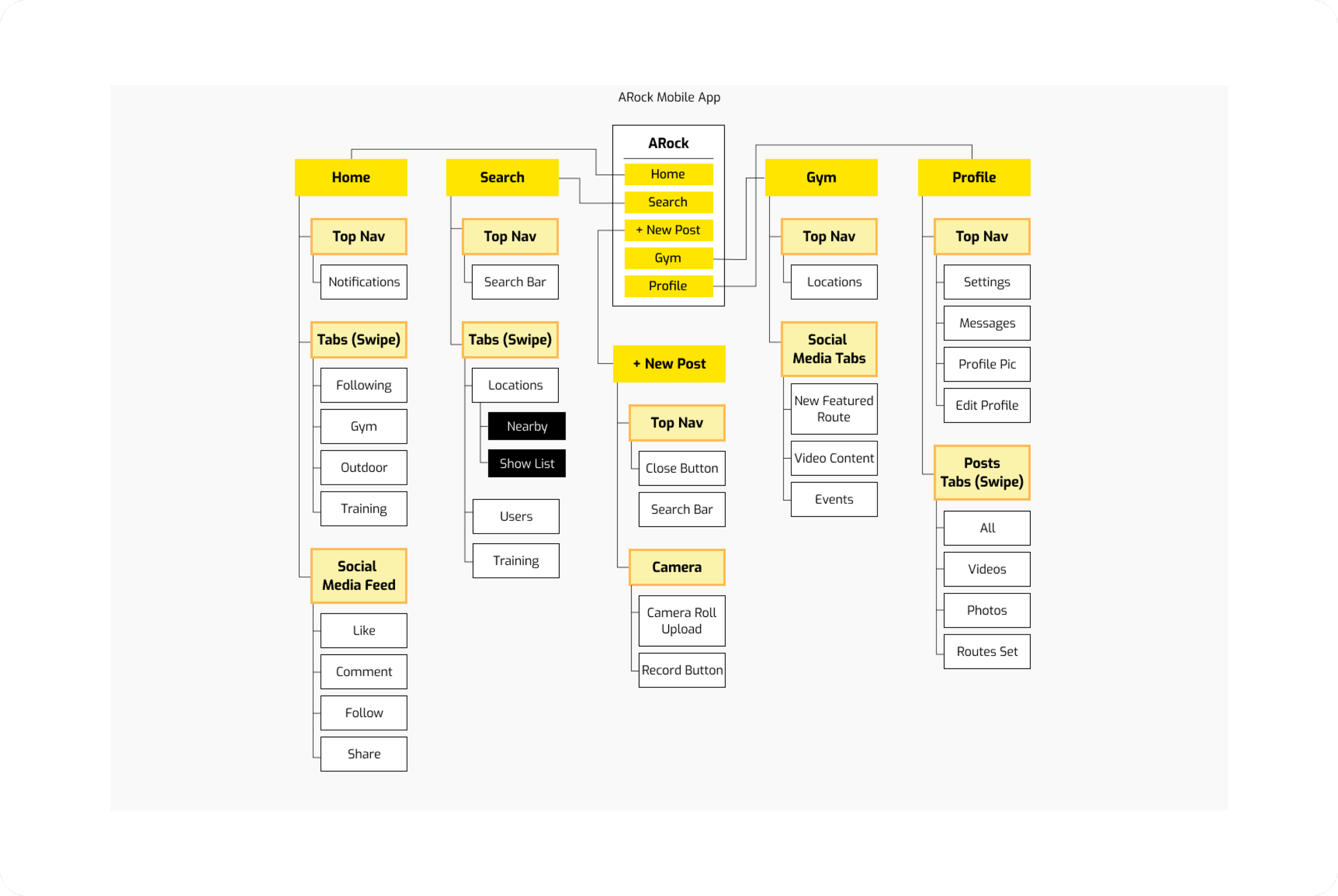
The site map of ARock firstly references common design patterns of current social media apps. Including pages such as Home, Search and Profile will give our everyday social media users a sense of familiarity and increase the ease of use and navigation. Including a page for our local Gym on the main navigation signifies it’s importance and hopefully will pique the curiosity of our climbers.
Task Flow
There are two specific tasks designed for Melissa. The first task of posting content on social media will hopefully give her a sense of familiarity to explore other parts of ARock with less hesitation and more confidence. The second task will be slightly more challenging since that is the nature of navigating any virtual space. For the sake of testing the ease of use, this prototype will not tackle navigation of virtual space, but is designed to test user’s response to the task flow.
Sketches
After weeks of research and ideation, the first step in creating visual identity for ARock begins with rough sketches of as many screen layouts as possible. This brainstorming process involves research and referencing pre-existing social media screens for good design patterns that will fit with ARock.
Wireframes
From the many variations of sketches, I choose the ones that fit ARock best based on aesthetic and function to be included. These next step sketches act as low-fidelity wireframes that help to mock up our user’s experience.
Style Tile
To keep our visual design clean and bright, I chose to use a color palette that leans heavy on white backgrounds; reminiscent of indoor climbing walls, with pops of bold bright yellows and oranges to accentuate. To give the app a modern tech edge (in association with futuristic virtual space), the fonts chosen lean toward sharper and angular san serifs, along angular buttons and icons to match.
Style Tile
To keep our visual design clean and bright, I chose to use a color palette that leans heavy on white backgrounds; reminiscent of indoor climbing walls, with pops of bold bright yellows and oranges to accentuate. To give the app a modern tech edge (in association with futuristic virtual space), the fonts chosen lean toward sharper and angular san serifs, along angular buttons and icons to match.